How Does AI Craft Convincing Spear Phishing Emails?
Scammers now feed your LinkedIn, Instagram, and Venmo history into AI to write emails that mention your boss, your trip, and your dog by name. In a Harvard-led study, these messages fooled 54% of recipients. Typo-spotting no longer protects you. Verification habits do.
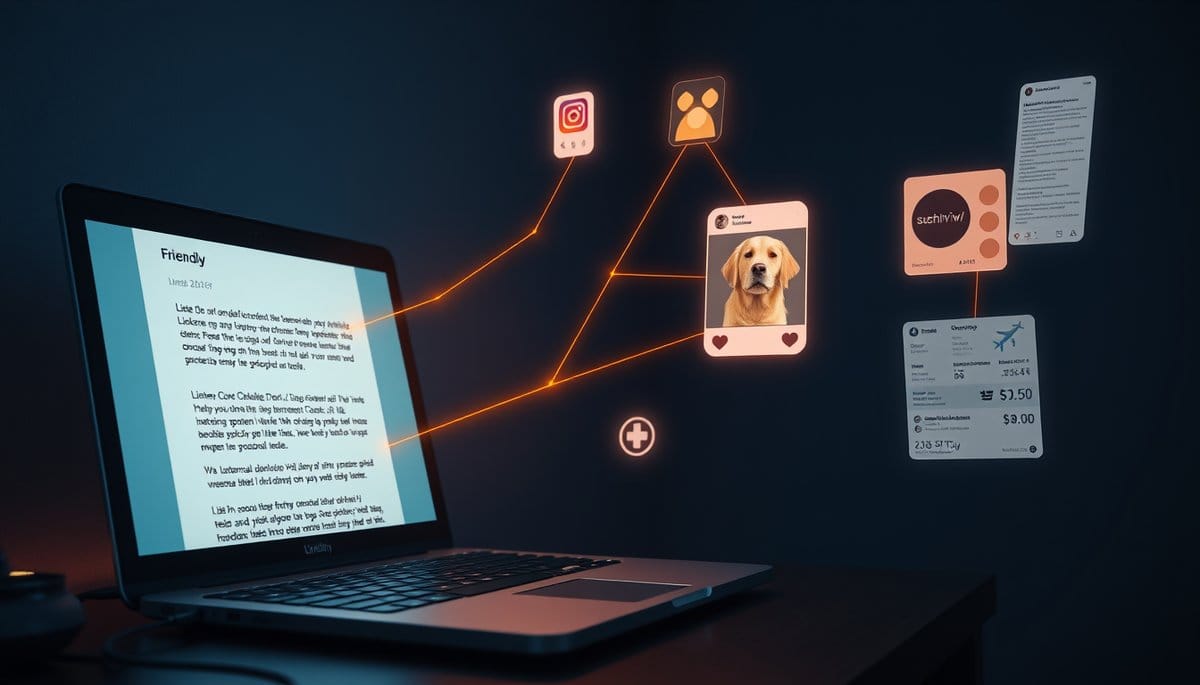
AI-personalized spear phishing uses language models to scrape your public profiles and write a scam email that sounds like it came from someone who knows you. You will not catch it by looking for typos or bad grammar. You stop it with one rule: any message asking for money, a login, or a file gets verified through a channel you start yourself, and your most important accounts get locked behind passkeys.
The Email That Knew About Your Conference Talk
Dana, a marketing manager, posts on LinkedIn that she's speaking at a conference in Austin next month. She tags her co-panelist. She mentions she's nervous about the Q&A.
Three days later an email arrives from the 'speaker coordinator.' It congratulates her on the session by its exact title, names her co-panelist, jokes that the Q&A crowd is friendly, and asks her to sign the speaker travel reimbursement form through a DocuSign link. The link opens a real-looking Microsoft sign-in page. She types her password.
Dana is a composite. I built her from patterns in reported incidents so I wouldn't expose a real victim. The numbers behind her are real, though. In a 2024 study led by Fred Heiding at Harvard, fully AI-generated spear phishing emails got a 54% click-through rate. That matched messages written by human experts and beat generic phishing, which got 12%.
The attacker in Dana's story never wrote a word. An AI model read her public posts and did the work in under a minute. Then it repeated the job for 500 other speakers on the same conference agenda.
How a Bot Builds a Dossier on You in 60 Seconds
Spear phishing used to be expensive. A criminal had to research one person for hours, so only executives were worth targeting. AI removed that cost. A typical pipeline looks like this:
1. Scrape. A script pulls your LinkedIn job history, Instagram captions, public Venmo transactions, Strava runs, GitHub commits, and any conference agenda listing your name. 2. Profile. A language model condenses the scraped data into a summary: your employer, your manager, your hobbies, your upcoming travel, and how you write. In the Harvard study, AI-built profiles were accurate and useful in 88% of cases. 3. Pick a pretext. The model picks the story you're most likely to believe, such as an HR benefits update for a new hire or an invoice for a contractor. 4. Write and time it. It drafts the email in your industry's jargon and schedules it for the moment you'd expect it, like the Monday after you announce a new job. 5. Hold the conversation. If you reply with a question, the AI answers it right away, in character.
Step five is the part that scares me most. The old advice was to reply and ask something only the real sender would know. A model with your dossier can often answer.
Why Smart, Careful People Click Anyway
Most security guides still tell you to look for spelling mistakes, strange greetings, and suspicious links. If you're still scanning emails for typos, you're wasting your attention. KnowBe4 found AI involvement in 82.6% of phishing emails it analyzed between September 2024 and February 2025. AI writes cleaner English than most of your coworkers.
The psychology is worse than the grammar. Familiar details lower your guard because you assume a stranger couldn't know them. Your brain treats your co-panelist's name as a password the sender typed correctly.
| Classic red flag | Still useful against AI phishing? |
|---|---|
| Typos and bad grammar | No. AI writes cleanly |
| Generic 'Dear Customer' greeting | No. It uses your name and nickname |
| Hovering to check the link | Weak. Links often point to real Google Docs or DocuSign pages that host the trap |
| Urgency or secrecy | Yes. The scam still needs you to act fast |
| A request to move money, log in, or share files | Yes. This is the payload every time |
| Sender address that doesn't match the claimed organization | Yes, but you have to tap the display name to see it |
The content of the email has become useless as a test. What it asks you to do still gives it away.
Five Defenses That Work Even Against a Perfect Email
These assume the email will fool you, because eventually one will.
1. Verify outside the email. Look up the person's number or the company's website yourself and contact them there. Never use the contact details in the message. 2. Switch your email and bank to passkeys. Google, Microsoft, Apple, and most major banks support them. A passkey won't sign in on a fake site, so a stolen-password page gets nothing from you. 3. Treat your password manager as an alarm. If 1Password or Bitwarden doesn't offer to autofill on a login page, stop. It recognized that the domain is wrong before you did. Many people learn this the hard way: they assume autofill is just buggy and type the password in by hand. 4. Shrink your public footprint. Set Venmo transactions to private, which is not the default for older accounts. Hide your LinkedIn connections list. Add privacy zones in Strava. 5. Agree on a money rule. With family and coworkers, agree that payment changes never happen over email alone.
One honest caveat: you can't erase what's already out there. Removal services like DeleteMe or Optery clear data broker listings, but I've watched profiles reappear within a few months. Treat footprint reduction as upkeep you repeat, because you can't do it once and be done.
Key Takeaways
FAQ
Q: How do scammers know so much about me?
A: Most of it comes from your public LinkedIn, Instagram, Venmo, and Strava profiles, plus data brokers that sell your address and relatives' names. A public Venmo note like 'Rent split w/ Jess' tells a scammer your roommate's name and your payment habits.
Q: Won't my email spam filter catch these?
A: Sometimes, but filters were trained on mass, templated phishing, and AI generates a unique email for each target, so there's no repeated pattern to flag. Gmail and Microsoft 365 still block plenty, but a well-researched single message often lands straight in your inbox.
Q: What should I do first if I already clicked and entered my password?
A: Change that password right now from a device you trust, sign out of all sessions (in Google, use Security > Your devices), and turn on a passkey or authenticator app. If the account is linked to work, tell your IT team within the hour, because attackers often move to colleagues' inboxes the same day.
Conclusion
The emails will keep getting better, and at some point one will get past your judgment. Make sure your accounts can withstand that mistake: set up a passkey on your main email account before you close this tab. It takes about four minutes, and a perfectly written fake login page can't steal it.
💡 Lucas's Insight
Related Posts
- How Do AI-Generated Phishing Emails Bypass Corporate Filters?
In 2026, AI-crafted phishing emails started sailing past enterprise security filters that had caught similar attacks for years. The emails were grammatically perfect, contextually aware, and personalized down to the recipient's recent Slack messages. Corporate IT teams were not ready for this. - How Do AI Phishing Emails Bypass Spam Filters?
AI-generated phishing emails have no typos, no weird grammar, and no broken English for your spam filter to catch. The defenses that still work aren't AI text detectors. They're behavioral email security platforms and phishing-resistant login hardware, and both are available to you today. - How Do AI Phishing Tools Actually Stop Attacks?
AI-generated phishing emails now pass every grammar check, mimic your boss's writing style, and arrive personalized with your real job title. Spam filters built before 2022 miss most of them. A specific stack of behavioral AI tools can catch what legacy security cannot.