How Did Tycoon2FA's $200 Phishing Kit Defeat 2FA?
Tycoon2FA was a rent-a-phishing platform that beat two-factor authentication by stealing your session cookie instead of your password. Microsoft's Digital Crimes Unit disrupted it in March 2026 and phishing volume linked to it dropped 92%. The service is broken. The technique it popularized is now e
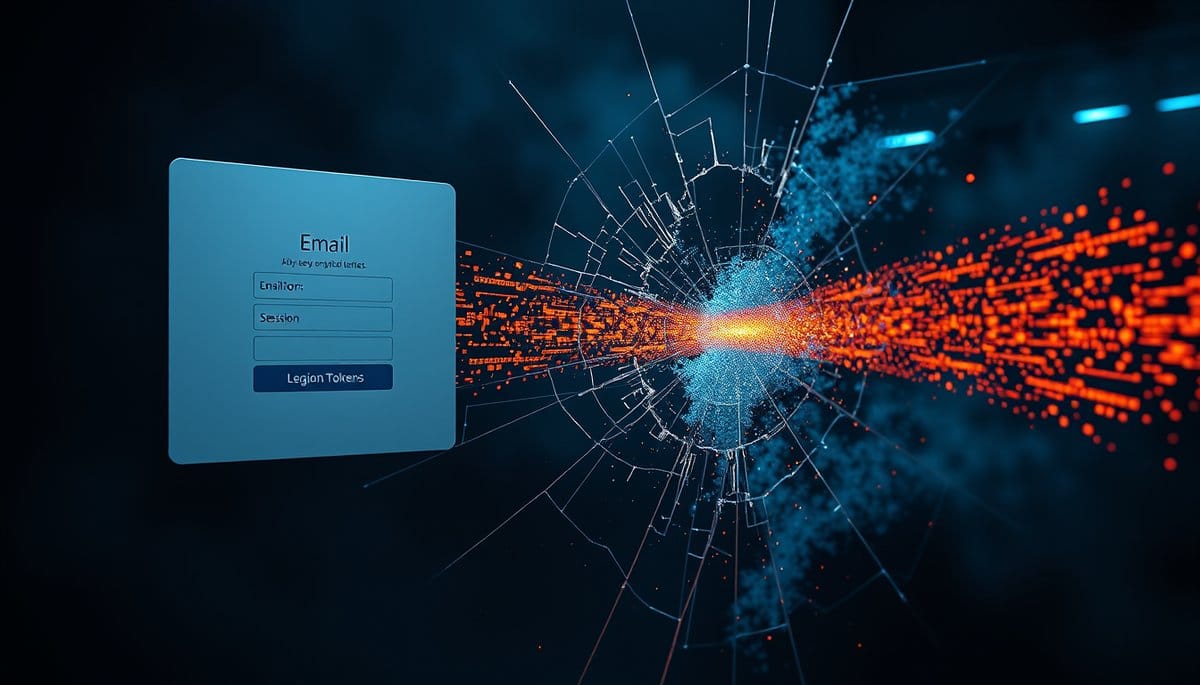
Tycoon2FA was a phishing-as-a-service platform that let low-skill criminals rent fake login pages capable of defeating two-factor authentication by stealing your session cookie after you logged in successfully. Microsoft's Digital Crimes Unit disrupted the platform in March 2026, and phishing volume tied to it fell 92% by the second quarter. The business collapsed. The technique is now standard, and only passkeys or hardware security keys reliably stop it.
The Phishing Empire That Collapsed in One Quarter
Tycoon2FA was not a hacker. It was a product. For a monthly subscription in the low hundreds of dollars, anyone with a grudge and a crypto wallet could rent pixel-accurate login pages for Microsoft 365 and Gmail, plus hosting, plus a dashboard showing stolen credentials in real time. Customer support included.
At its peak it was one of the largest single sources of credential phishing hitting corporate inboxes worldwide. Then, in March 2026, Microsoft's Digital Crimes Unit led a coordinated disruption against the platform's infrastructure. Q2 2026 numbers tell the story: phishing volume linked to Tycoon2FA dropped 92% from pre-disruption averages. QR code phishing fell off its March peak. CAPTCHA-gated phishing pages, a Tycoon2FA signature, declined alongside it. The operators tried to rebuild. They never got back to scale.
That is a genuine win, and takedowns like this deserve more attention than they get. But read the number carefully. A 92% drop in one platform's traffic is not a 92% drop in phishing. Competitors absorbed the customers within weeks. The kit died; the playbook it commercialized got copied into a dozen successors.
How a Fake Login Page Beats Your Two-Factor Code
This attack is called adversary-in-the-middle, and it does not guess your password. It relays it.
1. You get an email or a QR code in a PDF, addressed to you by name, usually about a shared document, a voicemail, or a DocuSign request. 2. You land on a CAPTCHA or Cloudflare-style challenge page first. That gate exists to block automated security scanners, not to protect you. Corporate scanners get bounced to a harmless website instead. 3. You pass the check and see a login page that looks perfect, because it is. The kit's server is fetching the real Microsoft page live and pushing it to your browser, including your own company's custom background image and logo. 4. You type your password. The proxy forwards it to Microsoft instantly. 5. Microsoft asks for your 2FA code. You approve it on your phone. The proxy forwards that too. 6. Microsoft issues a valid session cookie. The attacker keeps a copy.
They now hold a logged-in session. No password needed again, no MFA prompt, no alert. Average time from your click to their access: under 60 seconds.
Why Smart People Approve the Prompt Anyway
Most guides tell you to check the sender address and hover over the link. Against this attack, that advice is close to useless, and repeating it does real damage because it gives people false confidence.
The sender is frequently a genuine, compromised account at a supplier you actually work with. The link often points to a legitimate service first, a redirect through a marketing platform or a file-sharing domain, before landing on the phishing host. The phishing domain has a valid TLS certificate and a green padlock, because certificates are free and take 90 seconds to issue. The page itself is not a copy. It is the real page, proxied.
So the only visible clue is the URL string in the address bar, on a mobile browser, where roughly half of it is hidden. QR codes make this worse on purpose: scanning one moves you from a managed work laptop to a personal phone with no corporate filtering.
And the psychology is embarrassingly simple. You get the MFA push at exactly the moment you expect it, because you just typed your password. Approving it feels like confirmation, not risk. I have watched security-trained staff fail this in controlled tests and then argue the test was rigged. It wasn't.
The Only Defenses That Actually Hold
Ranked by what genuinely stops session theft rather than what feels productive:
| Defense | Stops cookie theft? | Setup time | Cost |
|---|---|---|---|
| Passkeys (face/fingerprint login) | Yes | 5 min per account | Free |
| Hardware security key (YubiKey, Titan) | Yes | 15 min | $29 to $55 |
| Password manager autofill only | Mostly (it refuses to fill on wrong domains) | 30 min | Free to $40/yr |
| Authenticator app 6-digit codes | No | - | Free |
| SMS codes | No | - | Free |
| "Spotting the fake" training | Barely | Ongoing | Expensive |
Do these today. Turn on passkeys for your email account first, because email is the master key that resets everything else. Google, Microsoft, and Apple all support it now, and the setup is under five minutes. Second, stop typing passwords manually. If your password manager does not offer to autofill, treat that as an alarm, not an inconvenience, because it matched the domain and the domain is wrong. Third, if you run a small business, ask whoever manages your Microsoft 365 tenant to enable a conditional access policy requiring phishing-resistant authentication for admin accounts. That single toggle would have neutralized most of Tycoon2FA's damage.
Key Takeaways
FAQ
Q: Does two-factor authentication still protect me at all?
A: Yes, against password reuse and credential stuffing, which remain the most common attacks by volume. But app-based and SMS codes provide zero protection against session-stealing proxies like Tycoon2FA, which is why a $29 hardware key or a free passkey is a genuine upgrade rather than a duplicate.
Q: If the platform was taken down, why should I still worry?
A: The 92% drop applies to one vendor's traffic, not to phishing overall, and rival services like the successors to Mamba and EvilProxy picked up the displaced customers. Takedowns buy months of breathing room, not permanent safety.
Q: What is the fastest first step if I only have five minutes?
A: Go to your Google or Microsoft account security settings and add a passkey using your phone's fingerprint or face unlock. Then review active sessions on that same page and sign out any device or location you do not recognize, since a stolen cookie shows up there as a live session.
Conclusion
Tycoon2FA's collapse proves coordinated takedowns work, and it also proves how fast a criminal supply chain reroutes around one. Do not wait for the next platform to reach scale before changing how you log in. Open your email account's security settings right now and add a passkey, then sign out every session you do not recognize.
💡 Lucas's Insight
Related Posts
- How Are AI Deepfakes Targeting Your College?
AI voice clones and deepfake video calls now impersonate students and university leaders to steal financial aid, redirect tuition, and crack into campus accounts. A 15-second voicemail of you is enough. Here's how the scam runs and how to shut it down. - How Are AI Deepfakes Used in Romance Scams?
Romance scammers are now using real-time AI deepfake video and cloned voices to impersonate attractive strangers — and sometimes even your own family members. The technology costs less than $20/month and is shockingly convincing. Here's what the attack looks like and how to protect yourself today. - How Are AI Deepfakes Stealing Billions From You?
A CFO in Hong Kong wired $25 million after a video call with people who didn't exist. AI deepfakes now clone voices from 3 seconds of audio and generate real-time video of anyone. This is happening to ordinary people right now — not just executives.