How Do Free vs Paid API Keys Differ?
Free API keys give you access to an API but throttle how much and how fast you can use it — typically capped by requests per minute, daily quotas, or feature restrictions. Paid tiers lift those limits and often unlock faster models, priority infrastructure, and SLA guarantees. The right tier depends
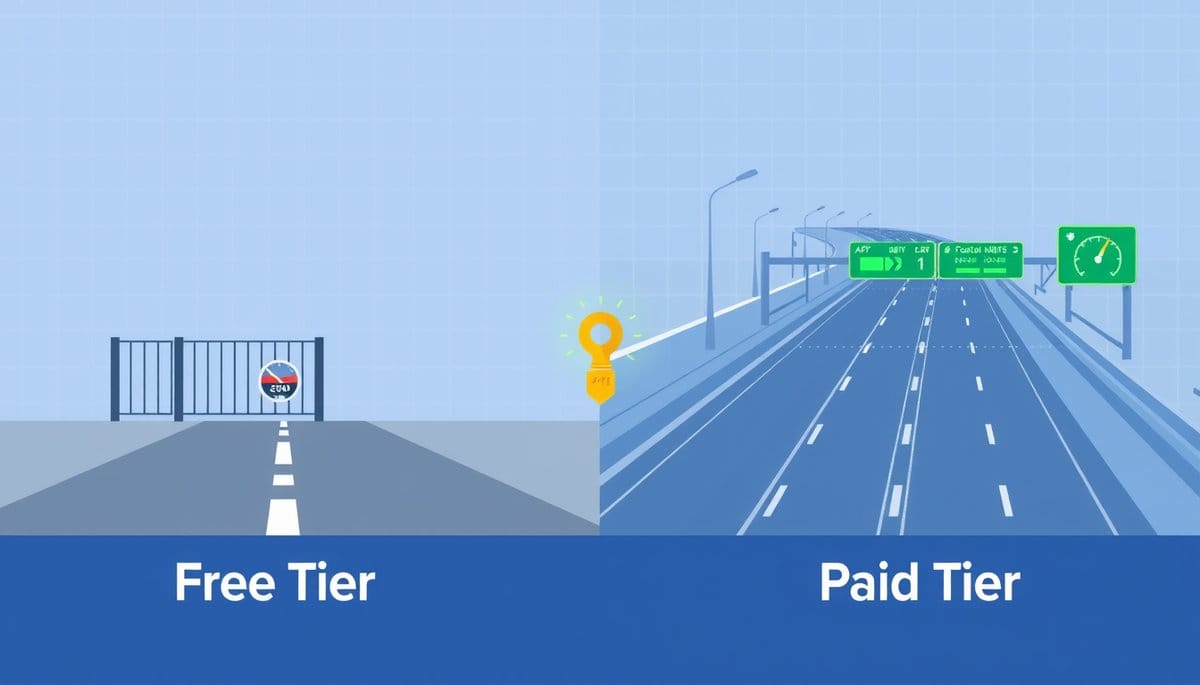
A free API key is a throttled access pass — you get real API access, but the provider caps how many requests you can make per minute, per day, or per month. A paid key buys you higher or unlimited throughput, access to premium models or endpoints, and usually a contractual uptime guarantee. If your app breaks when the free quota runs out at 2am, you need a paid tier.
Free API Keys Are a Speed Limiter, Not a Feature Lock
Think of an API key tier like a highway toll lane. The free tier puts you in the slow lane with a speed limit — you reach the same destination, but you're capped on how fast and how often you can travel. The paid tier opens the express lane.
For most APIs, the difference comes down to three hard constraints on the free tier:
| Constraint | Free Tier (typical) | Paid Tier (typical) | |---|---|---| | Requests per minute | 3–60 RPM | 500–10,000+ RPM | | Monthly quota | 100–10,000 calls | Millions, or pay-per-use | | Model/endpoint access | Basic only | Latest, fastest models | | Support | Community forum | Email or SLA-backed | | Uptime guarantee | None | 99.9% SLA |
OpenAI's free tier, for example, starts you on slower models with a $5 trial credit. Once that's exhausted, every call fails with a `429 Too Many Requests` or `402 Payment Required` error until you add billing. The feature set is real — the ceiling is just low. For a weekend project or proof of concept, that ceiling is perfectly fine. For production traffic, it will bite you.
How Rate Limit Errors Actually Look in Code
Hitting a free-tier limit isn't abstract — it produces a specific HTTP error you need to handle. Here's what it looks like with the OpenAI API in Python:
```python import openai import time
client = openai.OpenAI(api_key="your_api_key_here")
def call_with_retry(prompt, retries=3): for attempt in range(retries): try: response = client.chat.completions.create( model="gpt-4o-mini", messages=[{"role": "user", "content": prompt}] ) return response.choices[0].message.content except openai.RateLimitError as e: print(f"Rate limit hit: {e}. Retrying in 60s...") time.sleep(60) raise Exception("Exceeded retry limit — check your tier quota.")
result = call_with_retry("Summarize this article in 3 bullet points.") print(result) ```
On a free key, `RateLimitError` fires the moment you exceed your RPM cap. On a paid key with a high tier, that same code runs hundreds of parallel requests without issue. The key insight: free keys don't fail silently — they fail loudly with a `429`, which means you can test your error-handling logic for free before upgrading. That's actually useful.
The Misconception: Paid Keys Are Not Automatically Faster
Most guides imply that upgrading your API key tier directly speeds up responses. That's misleading. A paid key raises your rate limit — how many requests you can send — but individual response latency depends on server load, model size, and your geographic proximity to the API endpoint.
What paid tiers genuinely change:
1. **Priority queuing** — Some providers (like Anthropic at higher usage tiers) route paid traffic through dedicated infrastructure, reducing p99 latency under load. 2. **Access to faster models** — OpenAI's `gpt-4o` is available at Tier 1 ($5+ spent), while the truly high-throughput batch endpoints unlock at Tier 4 ($250+ spent in prior months). 3. **No hard monthly cutoff** — Free tiers often have a calendar-month reset. Paid tiers use pay-per-token or pay-per-call billing, so you're never blocked — just billed. 4. **Webhooks and streaming** — Some APIs gate server-sent events (streaming responses) behind paid plans entirely.
The contrarian point: for low-volume internal tools, staying on a free tier and building solid retry logic (like the snippet above) is the smarter engineering choice. Upgrading to avoid writing error handling is a lazy fix, not a good one.
When to Upgrade: A Practical Threshold
Upgrade from a free to a paid API key tier when any one of these is true:
- **You hit rate limits in production** — even once a week is too often for a user-facing app. - **You need a specific model** — if your use case requires GPT-4o, Claude 3.5 Sonnet, or Gemini 1.5 Pro, the free tier likely doesn't include them. - **Downtime has a cost** — free tiers have no SLA. If your API calls back a paying customer's workflow, a free key is the wrong foundation. - **You're processing batches overnight** — free quotas reset daily, but paid batch endpoints (like OpenAI's Batch API at 50% cost reduction) make large async jobs economically viable.
For Google Maps API specifically: the free tier includes $200/month in credits (roughly 40,000 map loads). The moment your app exceeds that, requests fail with a `REQUEST_DENIED` error — no grace period. Set a billing alert at $150 so you're never surprised.
Key Takeaways
- Free API tiers typically cap you at 3–60 requests per minute; paid tiers start at 500 RPM and scale into the thousands.
- A `429 Too Many Requests` error is the exact HTTP signal that you've hit your free-tier rate limit — handle it with exponential backoff, not an upgrade.
- Counterintuitive: a paid API key does NOT make individual requests faster — it only increases how many you can send per minute.
- Today: add a try/except block for RateLimitError in any production code that uses a free key — this protects your users before you ever need to upgrade.
- OpenAI, Anthropic, and Google all gate their best models behind paid usage thresholds ($5–$250 in prior spend), not just behind a billing method on file.
FAQ
Q: Can I use a free API key in a production app?
A: Technically yes, but it's risky — the moment your traffic spikes or your monthly quota resets at midnight, your app starts returning errors to real users. For any customer-facing feature, set up billing and a usage alert at 80% of your expected quota instead.
Q: Does adding a credit card automatically upgrade my API key tier?
A: For most providers (OpenAI, Anthropic, Google), yes — adding billing moves you from a hard free quota to pay-per-use, which effectively removes the monthly cap. However, RPM limits still scale with cumulative spend, so you may need to spend $5–$50 before hitting higher rate limit tiers.
Q: How do I find out which tier my current API key is on?
A: Check your provider's dashboard: OpenAI shows your current tier and RPM limits at platform.openai.com/account/limits. Your first step is to look at that page right now and compare your current RPM cap against your app's peak request volume.
Conclusion
For prototypes and side projects, a free API key is the right starting point — build your retry logic, learn the error codes, and validate your use case before spending anything. The moment you have real users or need a specific model like GPT-4o or Claude 3.5 Sonnet, add billing and set a spend alert. One caveat: adding a payment method alone won't always unlock higher rate limits — on OpenAI, you need $5–$250 in prior spend depending on the tier, so plan ahead rather than upgrading the night before launch.
Related Posts
- How Do Free vs Paid API Keys Differ?
Free API keys give you enough to build and test, but they cap your request volume, throttle your speed, and exclude production-grade guarantees. Paid tiers remove those ceilings and add SLAs, priority support, and advanced features. Choosing wrong costs you either money or uptime. - How Do Free vs Paid API Keys Actually Compare?
A free API key gets you through the door — but rate limits, request caps, and missing SLAs will stop you cold in production. Paid tiers aren't just about volume; they change what you can reliably build. Here's exactly what shifts when you upgrade. - How to Secure Multiple API Keys Across Projects?
The best way to manage multiple API keys is with environment variables per project, a centralized secrets manager like AWS Secrets Manager or Doppler, and a strict naming convention. Hardcoding keys or reusing them across projects is the single fastest way to leak credentials and blow your budget.