Technical SEO Mistakes That Kill Blog Traffic (And How to Fix Them)
Most blog traffic problems are not content problems — they are technical SEO problems. Slow pages, unindexed posts, broken internal links, and duplicate content from tag pages are draining rankings right now on most blogs. This guide names every mistake, explains why it hurts, and gives you the exac
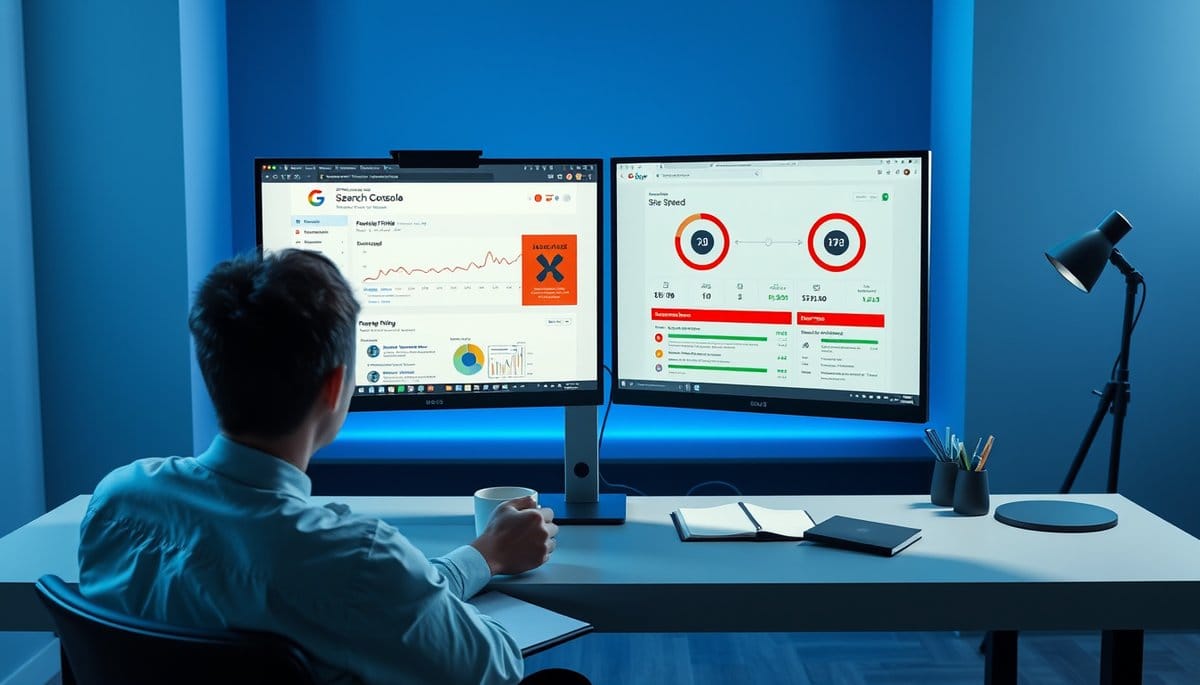
The technical SEO mistakes that cost bloggers the most traffic are slow Core Web Vitals (especially LCP above 2.5 seconds), unindexed or orphaned pages with no internal links, broken link chains, and duplicate content created by tag and category pages. These issues stop Google from crawling, indexing, and ranking your content regardless of writing quality. To fix them: run a free Screaming Frog crawl to find orphaned pages and broken links, open Google Search Console's Pages report to identify indexation errors, and run PageSpeed Insights on your five highest-traffic posts to diagnose speed failures. Resolve crawl coverage issues first, then Core Web Vitals, then duplicate content — in that order.
Why Technical SEO Errors Suppress Rankings Before Content Gets a Chance
Google cannot rank what it cannot crawl and index. That single fact explains why thousands of well-written blog posts earn zero organic traffic — and why fixing technical SEO delivers faster ROI than publishing new content into a broken system.
Googlebot operates on a crawl budget: a limited number of pages it will crawl on your site within a given timeframe. Google's official documentation confirms that crawl budget is influenced by your site's crawl health and perceived importance. When your site serves redirect chains, slow-loading pages, or a bloated sitemap full of noindexed URLs, Googlebot wastes that budget on junk instead of your best posts.
The practical consequence: new posts can sit unindexed for weeks, updated content does not get recrawled promptly, and rankings stagnate even when your writing improves.
Here is how to assess your crawl health right now:
1. Open Google Search Console and navigate to Indexing > Pages. Look at the 'Not indexed' column. If more than 10% of your submitted pages are listed as 'Discovered — currently not indexed' or 'Crawled — currently not indexed,' you have a crawl budget problem. 2. Download the free version of Screaming Frog (crawls up to 500 URLs at no cost) and run it against your domain. Filter results by Status Code. If more than 5% of your pages return 3xx redirects, 4xx errors, or carry unintentional noindex tags, crawl efficiency is actively suppressing your traffic. 3. Check your XML sitemap — paste your sitemap URL into Screaming Frog or the free Sitebulb trial and verify it contains only canonical, indexable, 200-status URLs. A sitemap populated with redirected or noindexed pages signals poor site hygiene to Googlebot.
None of these diagnostics require paid tools or developer access. They take under 30 minutes and will show you exactly where your crawl budget is being wasted.
The 5 Technical SEO Mistakes That Drain the Most Blog Traffic
Ranked by traffic impact, these are the five mistakes to eliminate before doing anything else.
**1. Failing Core Web Vitals — especially Largest Contentful Paint (LCP)**
Google confirmed Core Web Vitals as a ranking signal in its 2021 Page Experience update. The threshold that matters most is LCP: pages loading their main content element in under 2.5 seconds are considered 'good'; above 4 seconds is 'poor.' Google's own research found that as page load time increases from 1 second to 3 seconds, the probability of a mobile visitor bouncing increases by 32%.
To diagnose this: go to PageSpeed Insights (pagespeed.web.dev), paste your URL, and check the 'Field Data' section — this reflects real user experience, not just lab conditions. The most common causes of poor LCP on blogs are uncompressed images, render-blocking JavaScript from ad networks or social sharing plugins, and unoptimized web fonts. Fix images first: convert them to WebP format and add explicit width and height attributes in your HTML. This one change resolves LCP failures on the majority of blog pages.
Also verify your Core Web Vitals at scale in Search Console under Experience > Core Web Vitals — this report shows which URL groups are failing across your entire site, not just individual pages.
**2. Orphaned Posts With Zero Internal Links**
An orphaned page is any post or page that no other page on your site links to. Google rarely discovers, crawls, or ranks them — because internal links are how Googlebot navigates your site's architecture and how PageRank flows between pages.
To find every orphan on your blog: run Screaming Frog, go to the Bulk Export menu, and export 'All Inlinks.' Filter the spreadsheet by pages with zero inlinks. Every result is an orphan. Fix them by adding at least two to three contextually relevant internal links from existing, indexed posts. Do this the same day you publish any new post — waiting creates orphans by default.
**3. Duplicate Content From Tag Pages, Category Archives, and Paginated URLs**
WordPress and most blogging platforms automatically generate tag pages, category pages, author archives, and paginated URLs like /page/2/. Each of these creates a near-duplicate version of your content that competes with the original post for the same keywords. At scale — a blog with 200 posts and 50 tags — this can double your indexed page count while halving the authority concentrated on each page.
Fix: In Yoast SEO or Rank Math, navigate to the Taxonomies settings and set tag archive pages to 'noindex.' Keep category pages indexed only if they are genuinely editorial (curated, with original descriptions) and serve readers. For paginated URLs, verify that rel=canonical is pointing to the first page in the series.
**4. XML Sitemaps Populated With Non-Canonical or Redirected URLs**
Your XML sitemap is a direct communication to Googlebot about which pages matter. Including 301-redirected URLs, noindexed pages, or pages with non-self-referencing canonicals in your sitemap creates contradictory signals and erodes trust in your sitemap's reliability. Audit your sitemap quarterly: paste the sitemap URL into Screaming Frog's 'Crawl a sitemap' mode and filter for any URL returning a status code other than 200 or carrying a noindex tag. Remove every non-conforming URL.
**5. Misconfigured robots.txt Blocking Critical Resources**
A single mistyped line in robots.txt — for example, 'Disallow: /' instead of 'Disallow: /private/' — can block Googlebot from crawling your entire site. Less obvious but equally damaging: blocking your CSS or JavaScript files prevents Google from rendering your pages correctly, which directly harms how it evaluates your content and user experience signals.
Verify your robots.txt monthly, especially after theme updates or plugin installations. In Google Search Console, go to Settings > robots.txt and use the built-in tester to confirm that your key post URLs, CSS files, and JavaScript files all return 'Allowed.' If you are on WordPress, confirm your Reading Settings do not have 'Discourage search engines from indexing this site' checked — this setting adds a noindex directive sitewide and has erased entire blogs' traffic when accidentally enabled during development and never reversed.
How to Monitor Technical SEO So Problems Don't Return
Fixing technical SEO issues once is not enough. Most bloggers resolve a problem, move on, and find the same issue has reappeared six months later through a plugin update, a new theme, or a batch of unlinked posts. Monitoring is what separates a one-time cleanup from a site that consistently ranks.
**Set up these three recurring checks:**
**Weekly — Google Search Console Pages Report:** Check the Not Indexed tab for spikes in 'Discovered — currently not indexed.' A sudden increase here means Googlebot is finding pages it cannot or will not crawl — usually caused by a crawl budget problem, a server response issue, or a batch of thin pages being deprioritized. Cross-reference with your publishing schedule: if you published 10 new posts last week and all 10 are stuck in 'Discovered — currently not indexed,' that is a signal to investigate crawl frequency and internal linking depth before publishing more.
**Monthly — Core Web Vitals Field Data:** Check the Core Web Vitals report in Search Console rather than relying solely on PageSpeed Insights lab data. Field data aggregates real user experiences over a 28-day window, which means it reflects actual performance across device types and connection speeds. If your LCP score is borderline (between 2.5 and 4 seconds), prioritize image optimization and lazy loading before any other content work. Tools like GTmetrix provide waterfall diagrams that show exactly which resource is delaying LCP on any given page.
**After every new post — Internal Link Audit:** The single most common technical error bloggers make after an initial cleanup is publishing new content without internal links, immediately creating new orphans. Build a repeatable publishing checklist: every post goes live with a minimum of three internal links from existing indexed content, and you manually link back to the new post from at least two relevant older posts. This takes five minutes and prevents orphan accumulation entirely.
**Recommended free and low-cost tools for ongoing monitoring:** - Google Search Console (free): Indexation coverage, Core Web Vitals field data, manual actions, robots.txt tester - Screaming Frog (free up to 500 URLs): Broken links, redirect chains, orphaned pages, sitemap audits - PageSpeed Insights (free): Per-URL Core Web Vitals lab and field data - GTmetrix (free tier): Waterfall performance analysis to identify specific bottlenecks - Ahrefs Webmaster Tools (free): Site audit covering 100+ technical SEO checks with traffic impact prioritization - Rank Math or Yoast SEO (free versions): On-page noindex controls, canonical management, sitemap generation
For blogs with over 500 pages, the paid tiers of Screaming Frog ($259/year), Ahrefs ($99/month), or Semrush ($119/month) are worth the investment — they surface issues across large sites in minutes that would take days to find manually and quantify their estimated traffic impact so you can prioritize by ROI.
Key Takeaways
- Orphaned pages — posts with zero internal links from other pages — are almost never indexed or ranked by Google. Find them monthly using Screaming Frog's inlinks export filtered to zero, then add at least two contextual internal links to each orphan from existing indexed content.
- An LCP score above 2.5 seconds is a confirmed ranking disadvantage. Google's research shows bounce probability increases 32% when load time goes from 1 to 3 seconds. Fix uncompressed images by converting to WebP and adding explicit dimensions — this resolves the majority of LCP failures on blog pages.
- Tag and category archive pages create duplicate content at scale on WordPress blogs. Set tag pages to noindex in Yoast or Rank Math unless they carry original editorial descriptions. This concentrates page authority on your actual posts instead of splitting it across dozens of thin archive pages.
- A single misconfigured robots.txt line can block Googlebot from your entire site or prevent it from rendering CSS and JavaScript correctly. Verify your robots.txt in Search Console's built-in tester after every theme update or plugin installation — not just when something appears to break.
- Fixing technical SEO once without monitoring guarantees regression. Set a weekly Google Search Console check for Coverage spikes, a monthly Core Web Vitals field data review, and a post-publish internal linking checklist. These three habits prevent the most common issues from silently returning.
FAQ
Q: How do I find technical SEO errors on my blog without paying for tools?
A: Start with Google Search Console — it is free, pulls real Googlebot data, and is more accurate than any third-party crawler. Open the Indexing > Pages report to see crawl errors, noindexed pages, duplicate content warnings, and pages blocked by robots.txt. For a deeper crawl, download the free version of Screaming Frog, which audits up to 500 URLs and surfaces broken links, redirect chains, missing meta tags, and orphaned pages in minutes. For page speed, PageSpeed Insights is free and provides both lab data and real-user Core Web Vitals field data per URL. GTmetrix's free tier adds waterfall analysis so you can see exactly which resource is slowing your LCP. These four tools together cover every major technical SEO issue category at zero cost.
Q: Does site speed actually affect Google rankings for bloggers, or is it just a minor signal?
A: Core Web Vitals are a confirmed Google ranking signal, but their weight is intentionally modest — Google has stated that a page with great content and poor speed can still outrank a fast page with weak content. The more significant impact of slow load times is behavioral: Google's own data shows a 32% increase in bounce probability when load time increases from 1 to 3 seconds on mobile. Higher bounce rates reduce dwell time signals, which do influence how Google evaluates page quality over time. For bloggers competing in moderately saturated niches where content quality is roughly equal across ranking pages, Core Web Vitals can be the tiebreaker. Practically: if your LCP is above 4 seconds, fixing it is high priority. If it is between 2.5 and 4 seconds, fix it after resolving indexation issues, which have a larger and more immediate traffic impact.
Q: My blog has over 500 posts. Where do I start fixing technical SEO without getting overwhelmed?
A: Use a three-phase approach based on traffic impact. Phase one: protect existing traffic. Open Google Search Console's Performance report, filter by clicks descending, and export your top 50 pages by click volume. Run these URLs through PageSpeed Insights and the Coverage report to confirm they are indexed, canonical, and loading within Core Web Vitals thresholds. Any technical issue on a high-traffic page costs you the most — fix those first. Phase two: fix indexation site-wide. Run a full Screaming Frog crawl (upgrade to the paid version for sites over 500 URLs), export all pages with status codes other than 200, and resolve redirect chains and 4xx errors systematically. Then check your sitemap for non-canonical URLs. Phase three: internal linking and duplicate content. Use Screaming Frog's inlinks export to find orphaned posts and resolve them in batches of 20 to 30 per week. Set tag and author archive pages to noindex. At this scale, Ahrefs Webmaster Tools or Semrush Site Audit are worth the subscription cost — they prioritize issues by estimated traffic impact so you always work on what matters most next.
Conclusion
Technical SEO problems do not announce themselves — they accumulate quietly while you publish new content into a system that cannot rank it. The highest-ROI action you can take today is a 30-minute audit: run Screaming Frog against your domain, open the Pages report in Google Search Console, and run your five most important posts through PageSpeed Insights. What you find will almost certainly explain a significant portion of your traffic plateau. Fix crawl coverage and indexation first, Core Web Vitals second, and duplicate content third — in that order, because an unindexed page earns zero traffic no matter how fast it loads. Get the foundation right, and every piece of content you publish after that has a genuine chance to rank.
Related Posts
- How Do Technical SEO Mistakes Kill Blog Traffic?
The technical SEO mistakes that bleed the most traffic are ones bloggers rarely see: slow Core Web Vitals, crawl budget waste, and uncanonicalised duplicate content. These aren't edge cases—they actively suppress rankings every single day. Fix them once and the traffic gains are immediate and compou - When Will My Blog Rank in Google?
Most new blogs start seeing measurable organic traffic between months 3 and 6, but ranking for competitive keywords can take 12 months or longer. The timeline depends heavily on your niche competition, publishing cadence, and whether Google has indexed and trusted your site yet. Knowing what to expe - How Fast Can You Set Up AI Blog Automation?
A basic AI blog automation system takes 1–2 days to configure. A fully integrated pipeline with SEO, publishing, and scheduling runs 3–5 days. The setup time depends entirely on how many tools you chain together and how much human review you keep in the loop.